Cat+Mouse Desktop pet
A downloadable tool for Windows
Desktop Pet
===========
Two tiny, cute desktop companions that walks around your screen and occasionally says silly things.
Features:
- Walks and bounces around your desktop.
- Random little phrases in a speech bubble.
- Right‑click for options: pause, change size, make it speak, or exit.
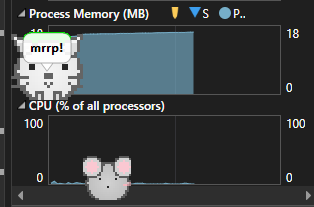
- Low resource usage(around 17MB RAM).
How to Use:
1. Download and unzip the file.
2. Run Cat+Mouse.exe.
3. Right‑click the pet for settings.
Enjoy your new desktop buddys!
Downloads
🟢 Recommended: Self-contained EXE (Windows x64) — ~140 MB
Just download and run. This version includes the .NET Desktop Runtime inside the app, so it works on any up-to-date Windows 10/11 machine without installing anything else.
🔵 Advanced: Small EXE (framework-dependent) — ~140 KB
Same app, but requires the Microsoft .NET Desktop Runtime (x64) v8 to be installed on your PC.
If you already have it (many dev machines do), grab this tiny build.
-
Don’t have the runtime? Search: “Download .NET Desktop Runtime 8 x64” on Microsoft’s site and install it.
-
After installing, double-click the small EXE to run.
Notes
-
Windows SmartScreen might warn about unknown publisher. Click More info → Run anyway.
-
No installer; both builds are portable. Delete the file to uninstall.
-
If the small EXE won’t start and shows a missing-runtime error, either install the runtime (see above) or use the self-contained build.
Download
Click download now to get access to the following files:


Leave a comment
Log in with itch.io to leave a comment.